
Use the clues you remember.
LanguageEnglish
01
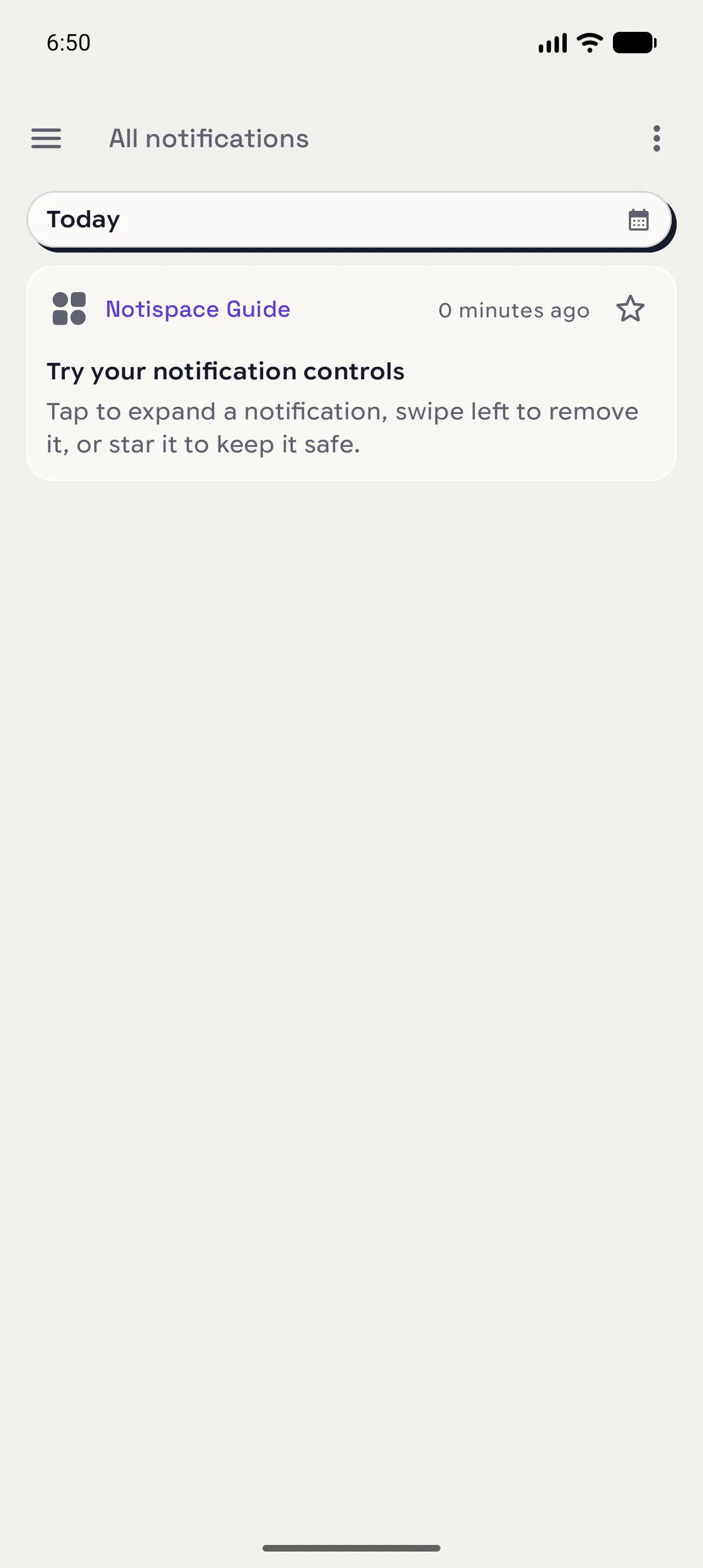
Open All notifications
Open the menu and choose All notifications. Date bands keep a busy history readable at a glance.
02
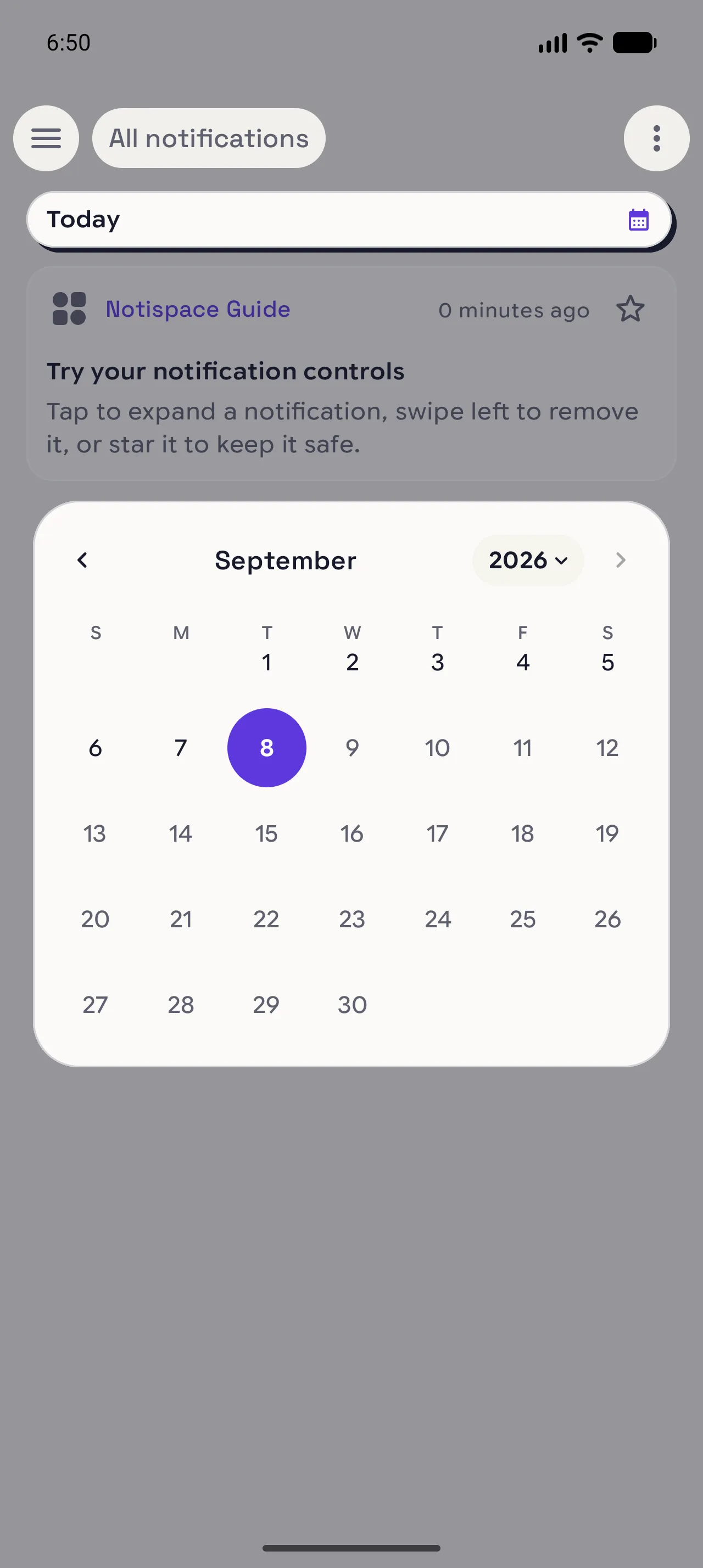
Choose a day
Tap the calendar beside Today and move to the date near the notification you remember. This shortens the search before you read any cards.
03
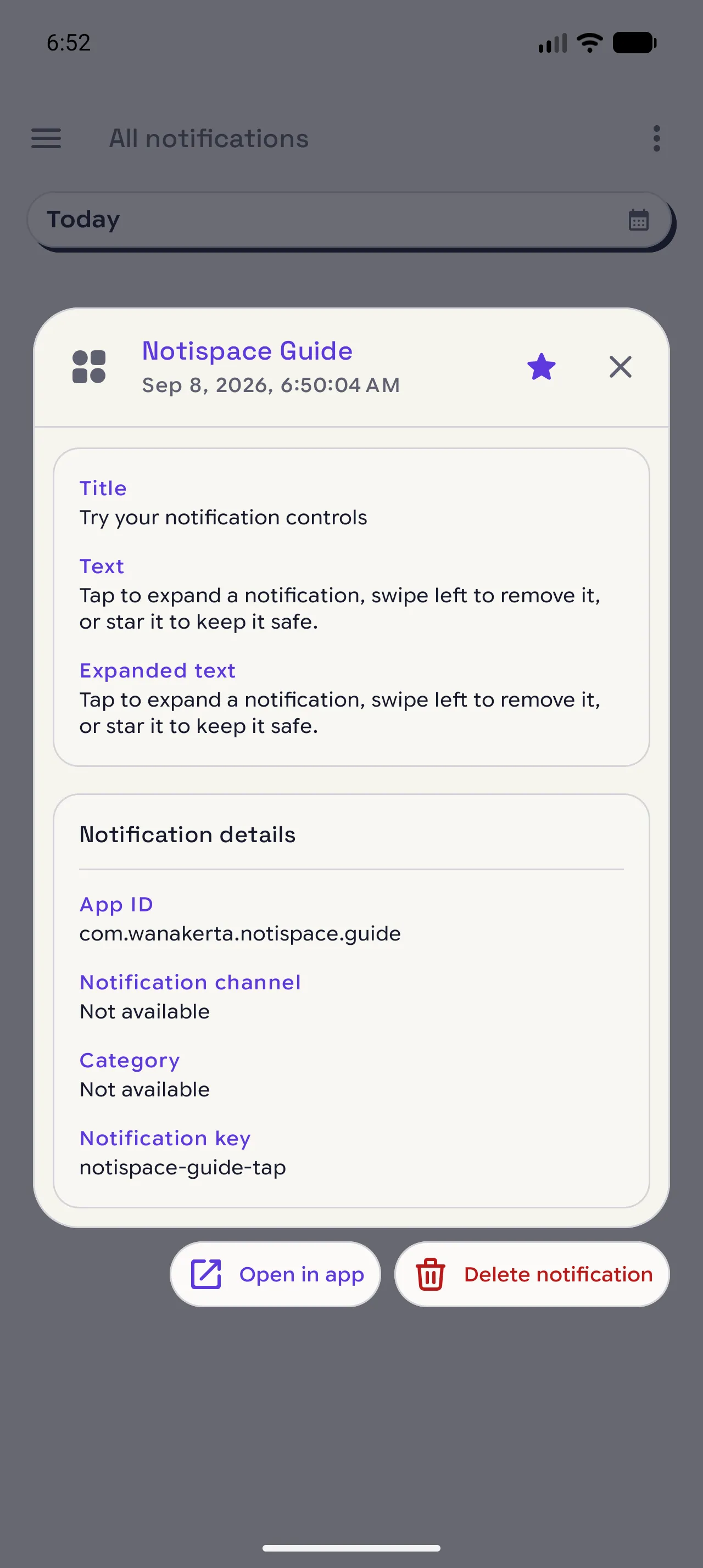
Read the whole entry
Expand the matching card, then choose See details when you need its full text and source information.
When you are done
Start with the date, then open the detail.
You can move from a date to the full notification without losing the rest of your history.
Open in NotispaceOpen the appA few notes
- The sender shown on the card is often enough to recognize the right entry.