
Make repeat alerts less noisy.
LanguageEnglish
01
Open Auto Dismiss
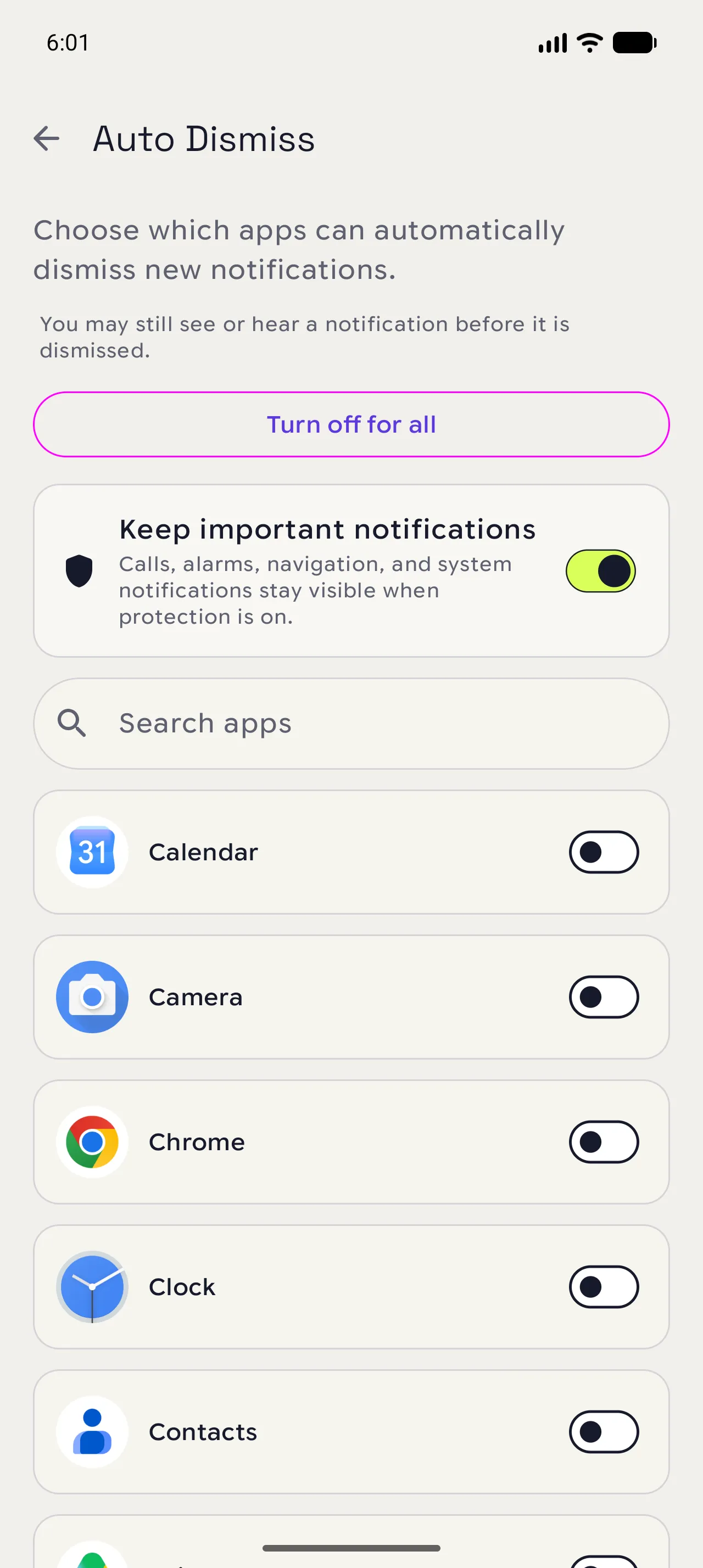
From Settings, choose Auto Dismiss. The first screen lists the apps and the important-notification safeguard.
02
Pick one app rule
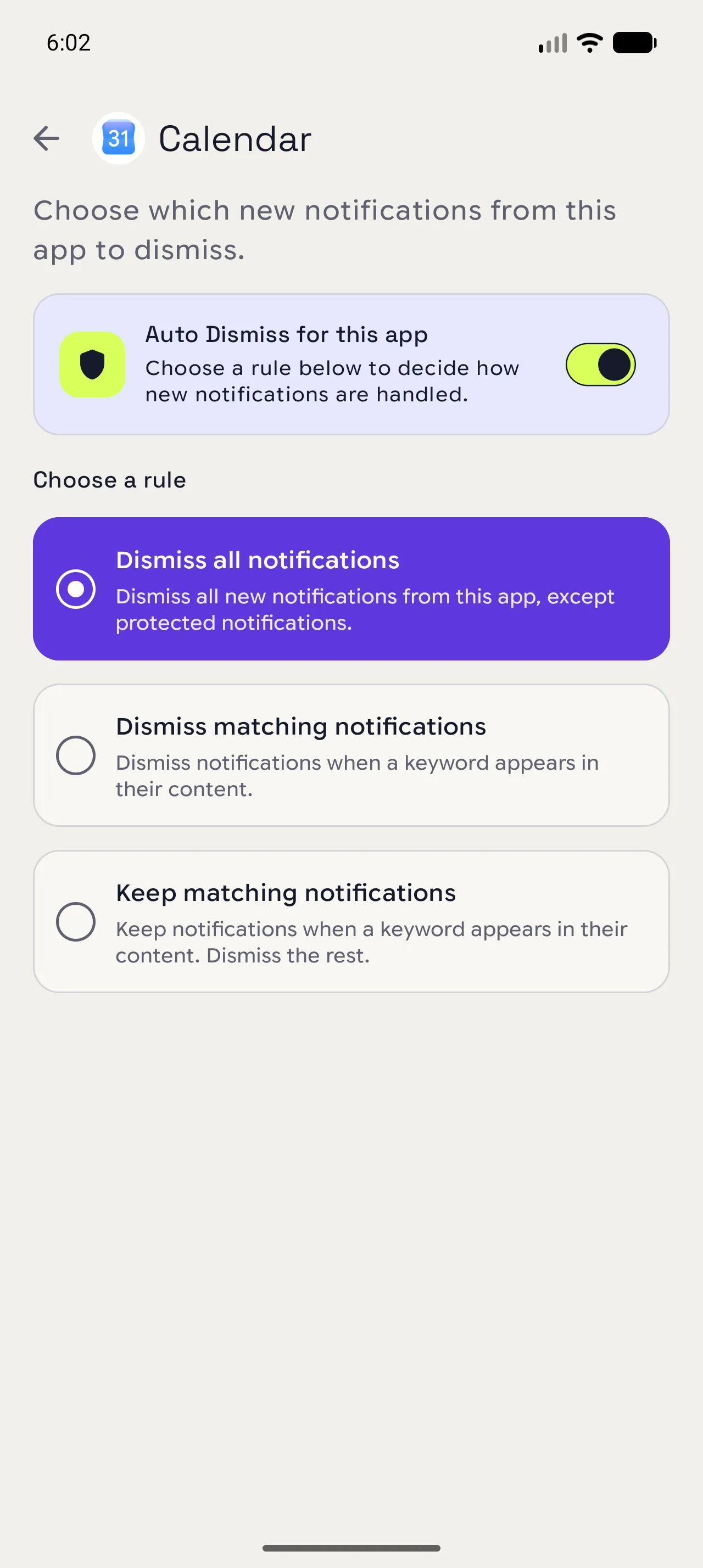
Open an app, turn on Auto Dismiss, and choose between clearing everything, matching words, or keeping matching words.
03
Add words only when needed
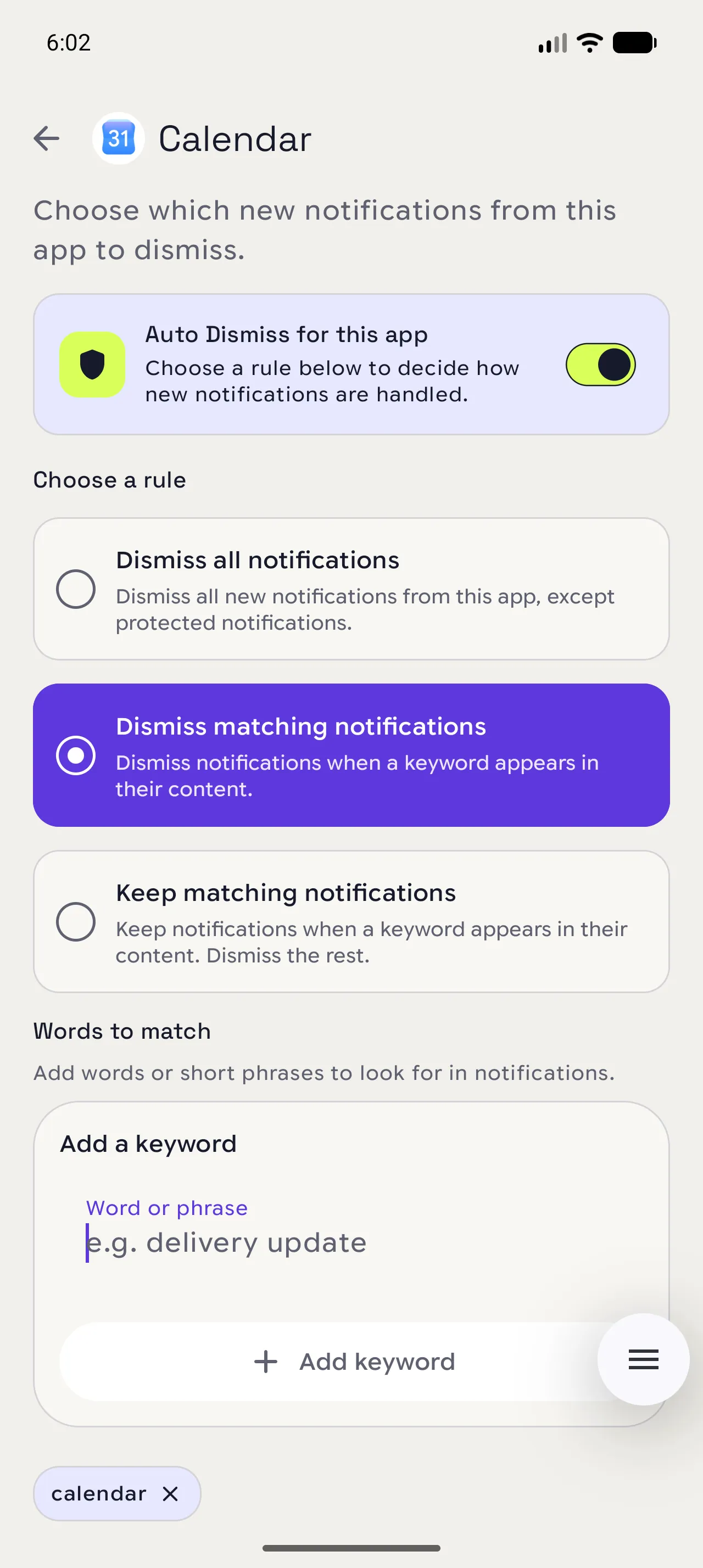
If you chose a matching rule, add a few words or phrases that identify those alerts. Short lists are easier to trust and maintain.
When you are done
The interruption goes away; the record stays.
Matching alerts are saved in Notispace before they are dismissed from the notification shade.
Open in NotispaceOpen the appA few notes
- Start with one app and observe the result before adding more rules.
- Free accounts can keep Auto Dismiss enabled for up to six apps. Galaxy removes that limit.